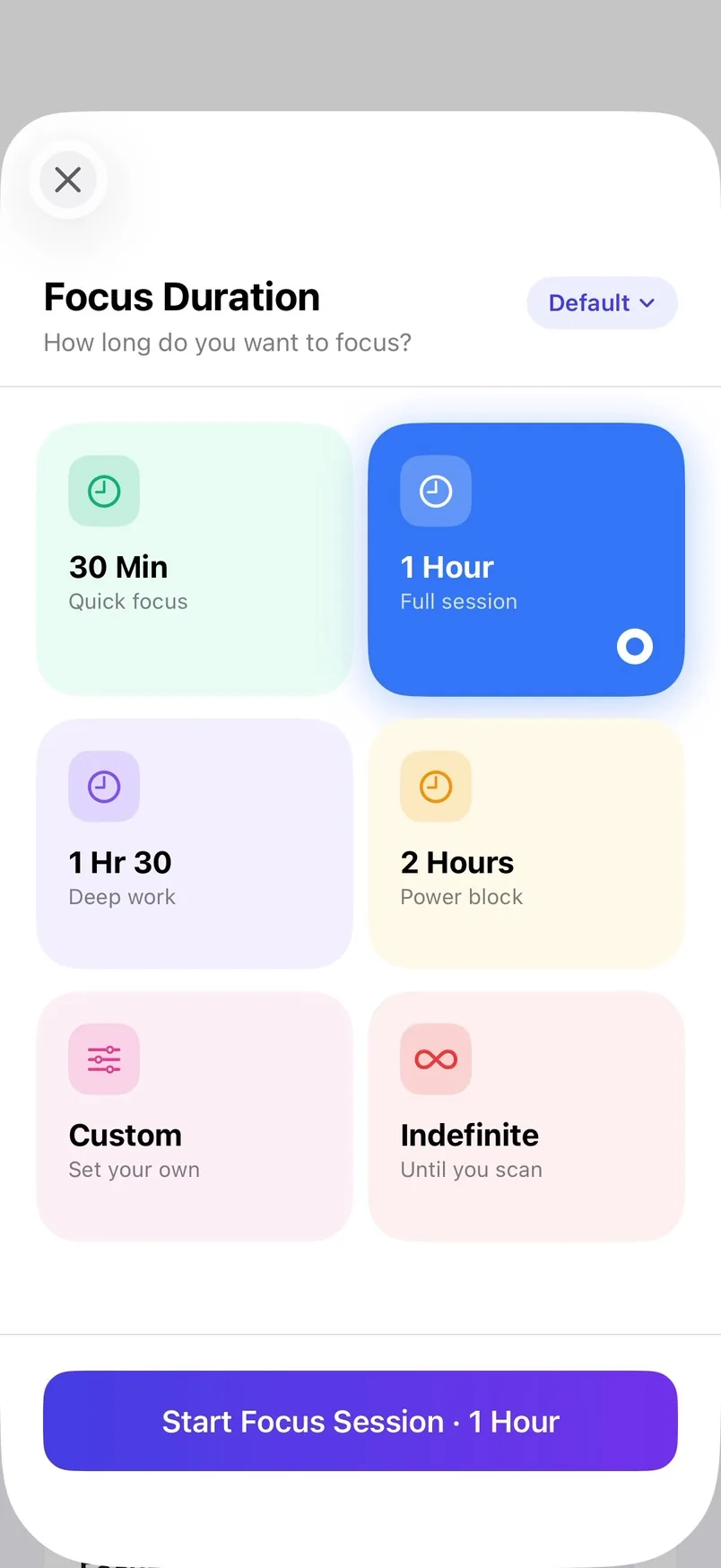
Focus Modes for every place
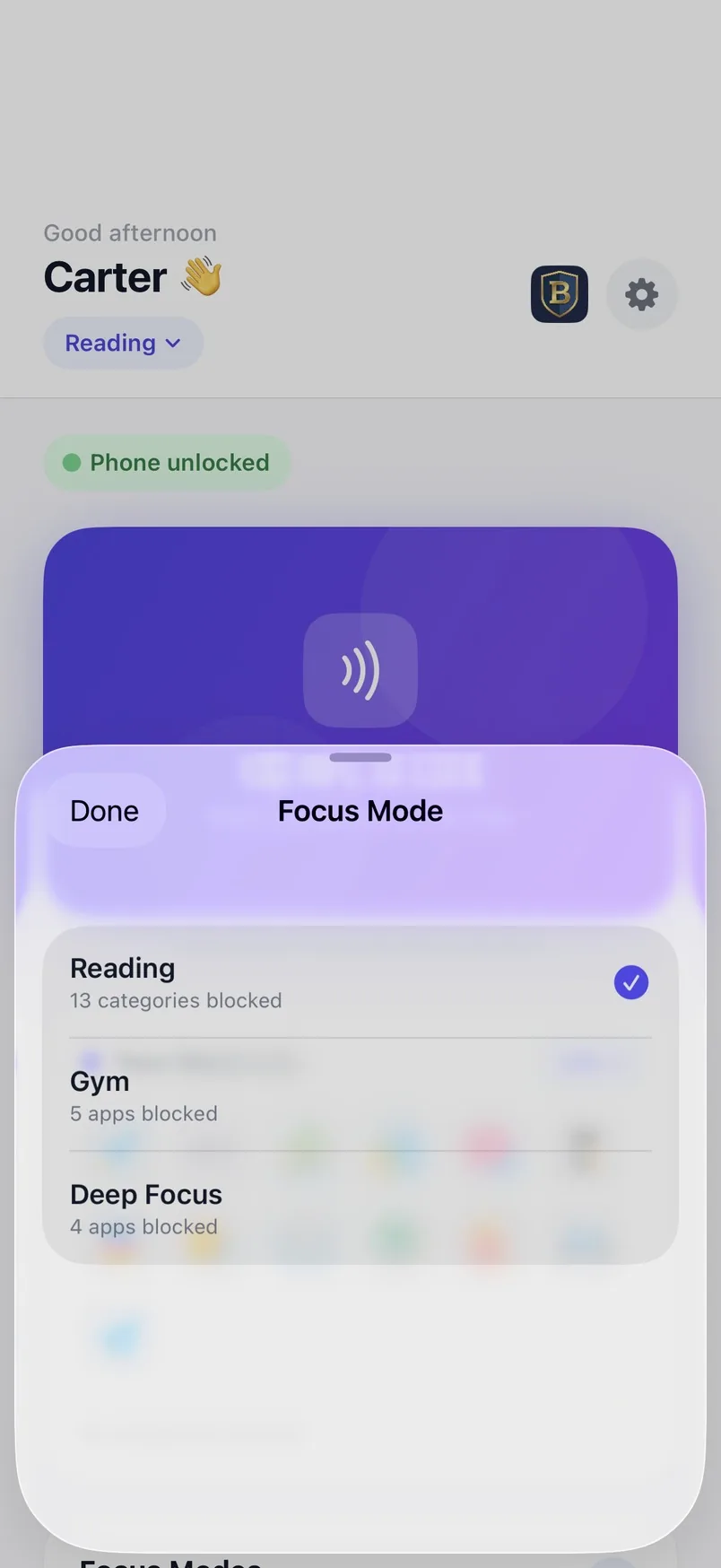
Keep a different block list for each part of your day: Reading for the library, Gym for workouts, Deep Focus for finals week.
BuckBlock is the focus app with a physical switch. Tap your iPhone on a BuckBlock Station and the apps that distract you stay locked until your session is over.
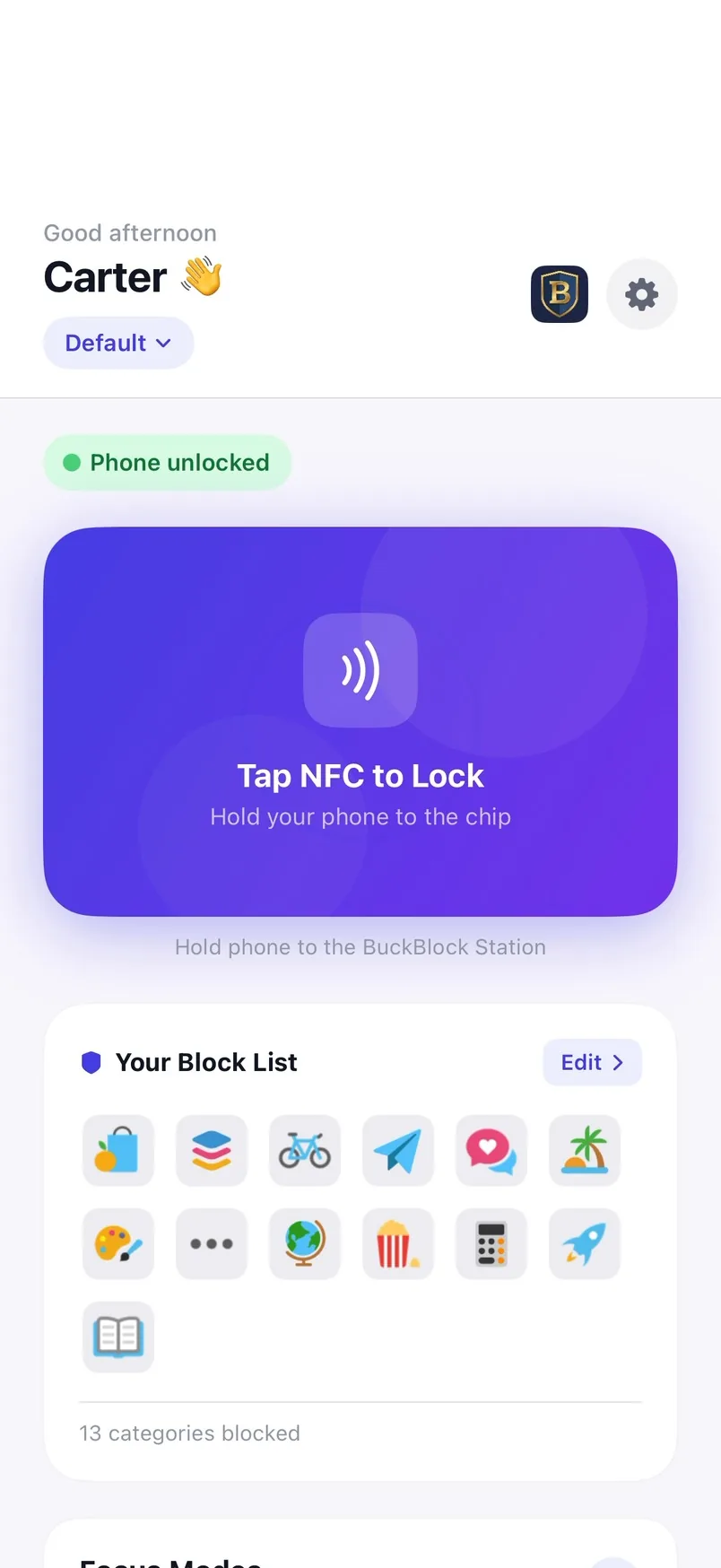
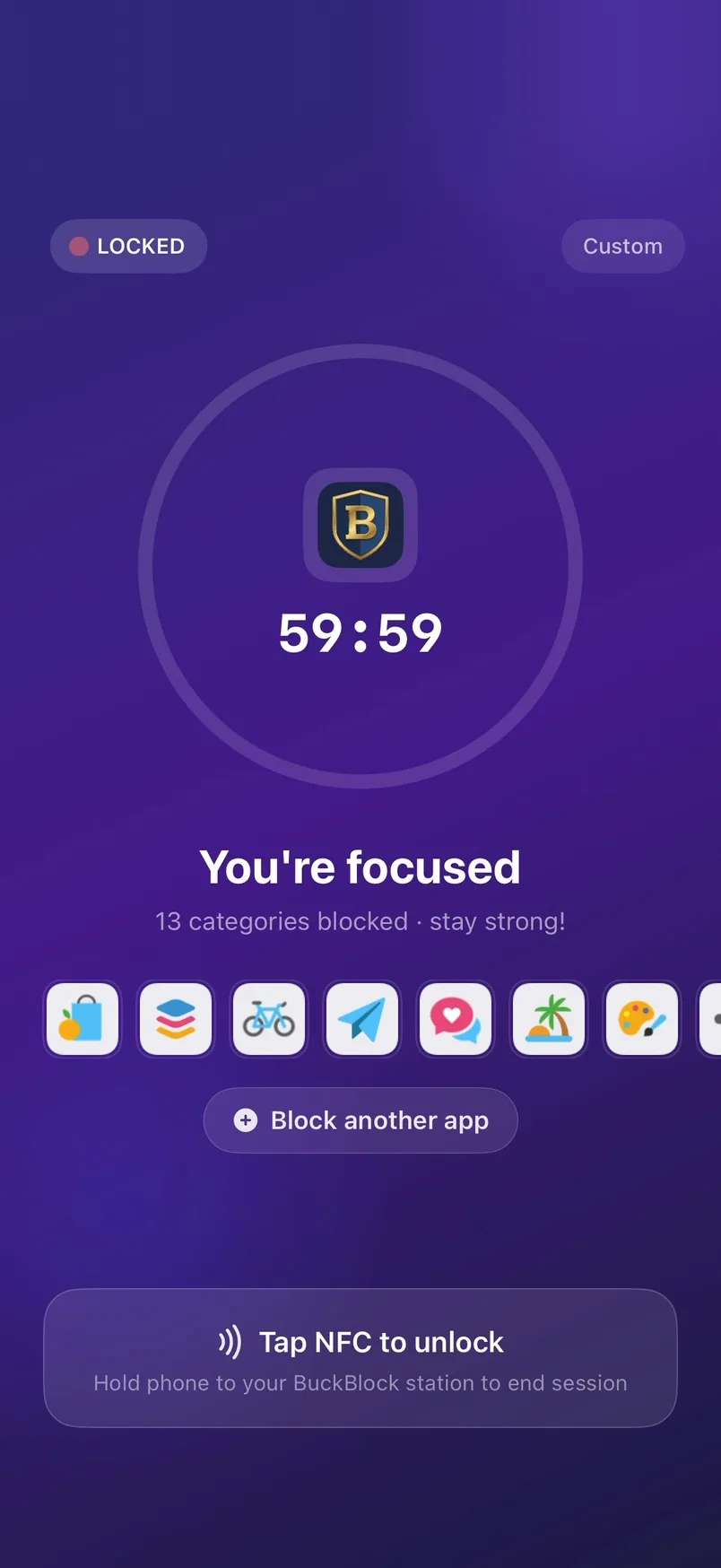
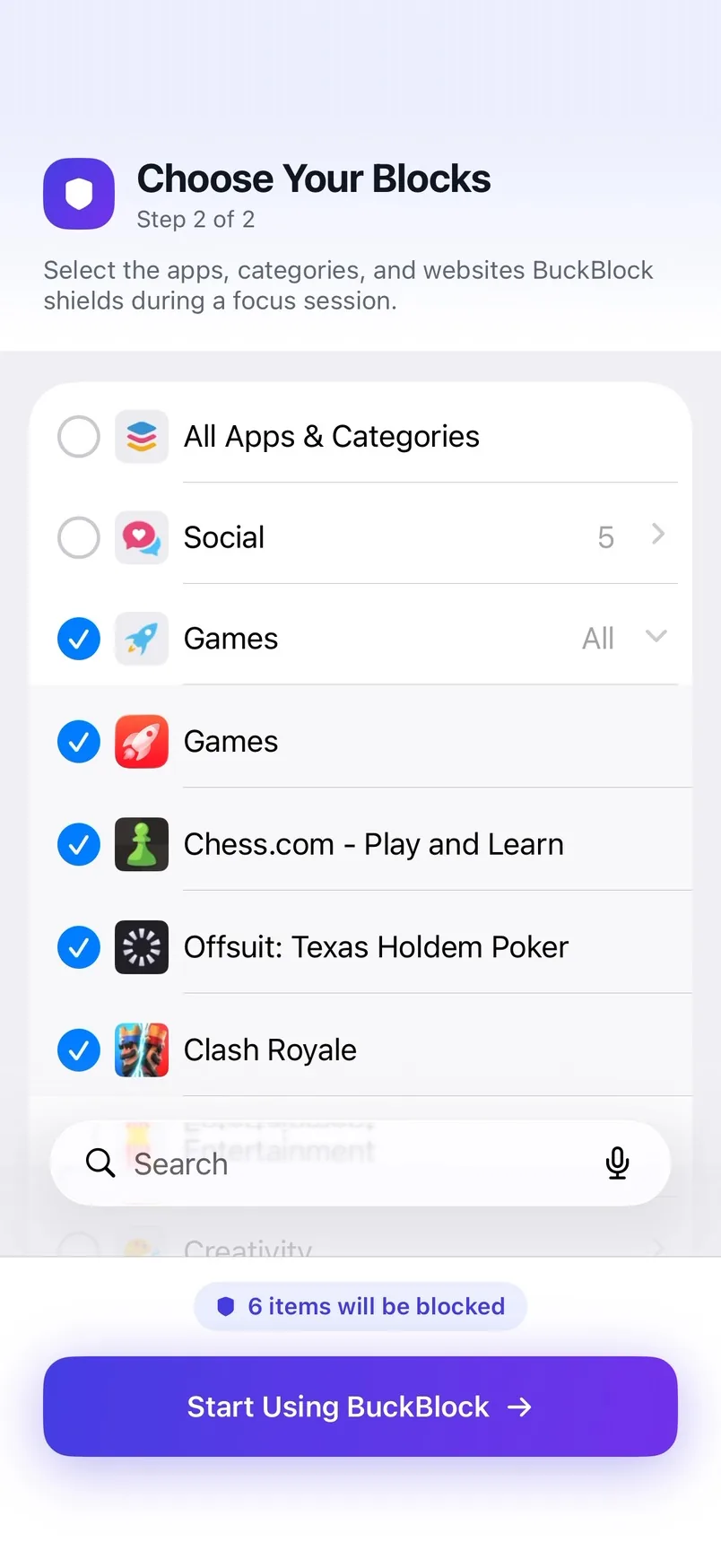
One full session in the real app, from picking your distractions to tapping out.
Set it up once. After that, every session starts with a tap.
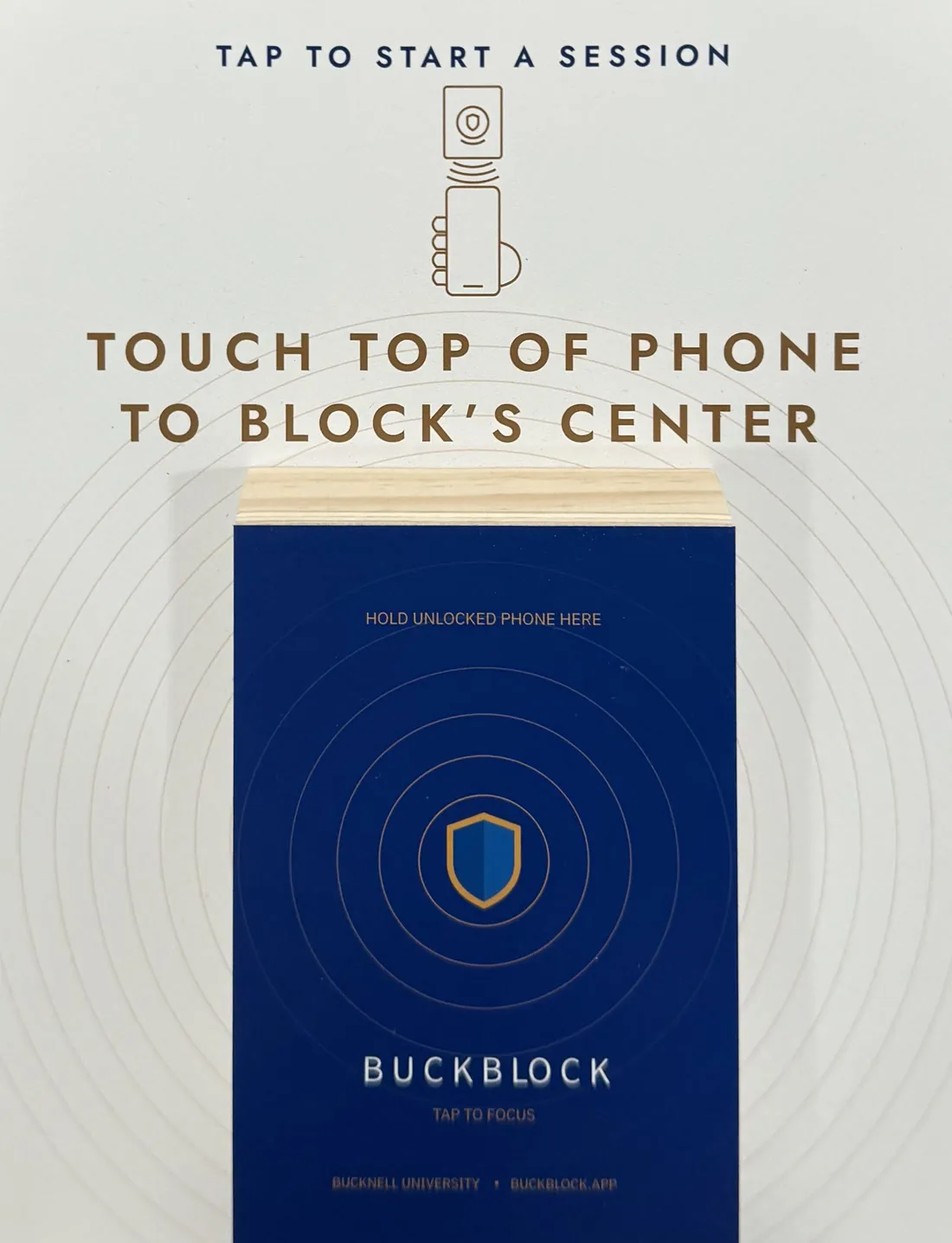
A BuckBlock Station is a panel with an NFC block at its center. Stations live where people already go to get work done, like libraries, study rooms and gyms. Walk up, tap in, sit down.
Ending a session early means getting up and tapping a station. That small bit of friction is the point.
When your library seat has a station, sitting down there becomes the signal to lock in.
Stations use passive NFC: no batteries, no Bluetooth, no setup. Any iPhone that runs BuckBlock can read one.
Strong enough to keep you on task. Simple enough that you'll actually use it.
Keep a different block list for each part of your day: Reading for the library, Gym for workouts, Deep Focus for finals week.
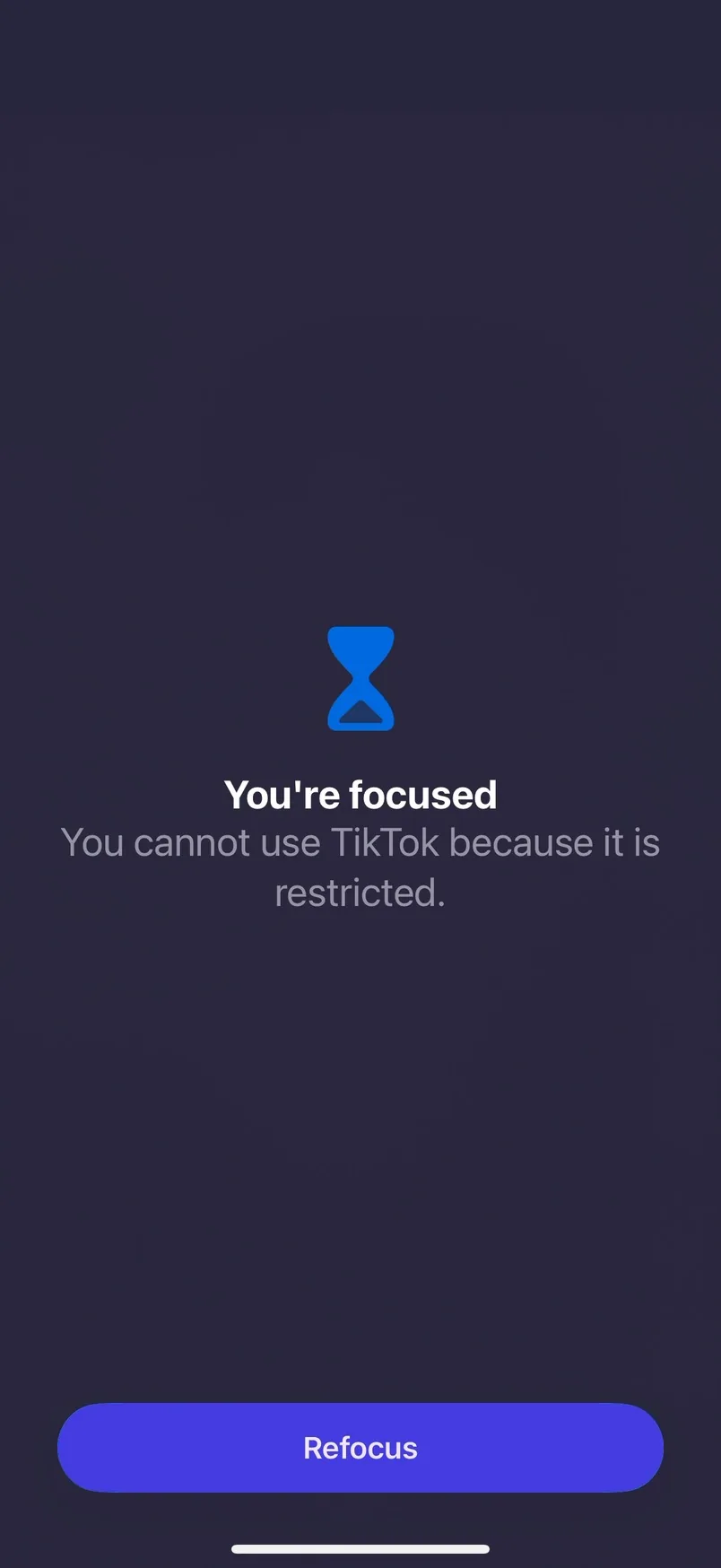
Built on Apple's Screen Time. Blocked apps show a shield instead of opening, and the only button on it sends you back to work.
No account, no ads, no tracking. Your block list stays on your iPhone, and Screen Time keeps even us from seeing which apps you pick.
Notifications from blocked apps stay silent for the whole session. Apps you haven't blocked work normally.
BuckBlock is free on the App Store and runs on any iPhone with iOS 17 or later.
BuckBlock is on iPhone today — tap-to-lock is built on Apple's Screen Time APIs. Android is what we're building next. Leave your email and we'll tell you the day it's ready.
Every station tap is counted anonymously, with no accounts and no personal data. These totals update live.
We kept losing afternoons to our phones, so we built the fix we wanted: an off switch you have to get up and tap. We're co-founders, and we've built everything together, from the app to the stations, in Lewisburg, Pennsylvania.


Can't find what you need? Visit Support or email support@quietminds.app.
An iPhone running iOS 17 or later (iPhone XS, XR and newer), the free BuckBlock app, and a BuckBlock Station to tap. Stations are set up in shared spaces like libraries, study rooms and gyms.
Open BuckBlock once to pick the apps you want blocked. After that, hold the top of your iPhone to the center of a station's block, choose how long you want to focus, and you're locked in.
Timed sessions end on their own when the timer runs out. Indefinite sessions end when you tap a station again, and tapping a station ends a timed session early too.
You're never trapped. Turning off BuckBlock's Screen Time access in the iOS Settings app ends the session immediately. It's deliberately a few steps away, so it works as an emergency exit rather than a shortcut.
Not from the apps you've blocked. iOS keeps them quiet while a session is running. Apps you haven't blocked keep working normally.
Very little. There's no account, no advertising and no tracking. Your block list and session history stay on your iPhone, and Apple's Screen Time keeps even us from seeing which apps you choose. We count station taps anonymously to see how BuckBlock is used. Read the full Privacy Policy.
Not yet. BuckBlock is built on Apple's Screen Time, so it's iPhone-only today, and Android is what we're building next. Join the Android waitlist and we'll email you the day it's ready.
We'd love to talk. Email contact@quietminds.app and tell us about your space.